

Why it exists
The blind spot relays create
DHCP Shield Pro began with a problem that has no Layer-2 answer. On a relay-only network — the norm in carrier access networks and segmented enterprise fabrics — DHCP traffic reaches the server through an L3 relay. By the time a packet arrives, the client's MAC has already been stripped from the Ethernet header. It survives in exactly one place: inside the DHCP payload, in the client identifier (Option 61) or the relay agent's Option 82 sub-options.
You cannot match that client at Layer 2; you have to read the application payload. That blind spot — being unable to see the client behind the relay — is the first reason this appliance exists. Because the engine works at Layer 7, it surfaces the true client identity on exactly the networks where Layer 2 can't help you.
Coverage
Full protocol dissection
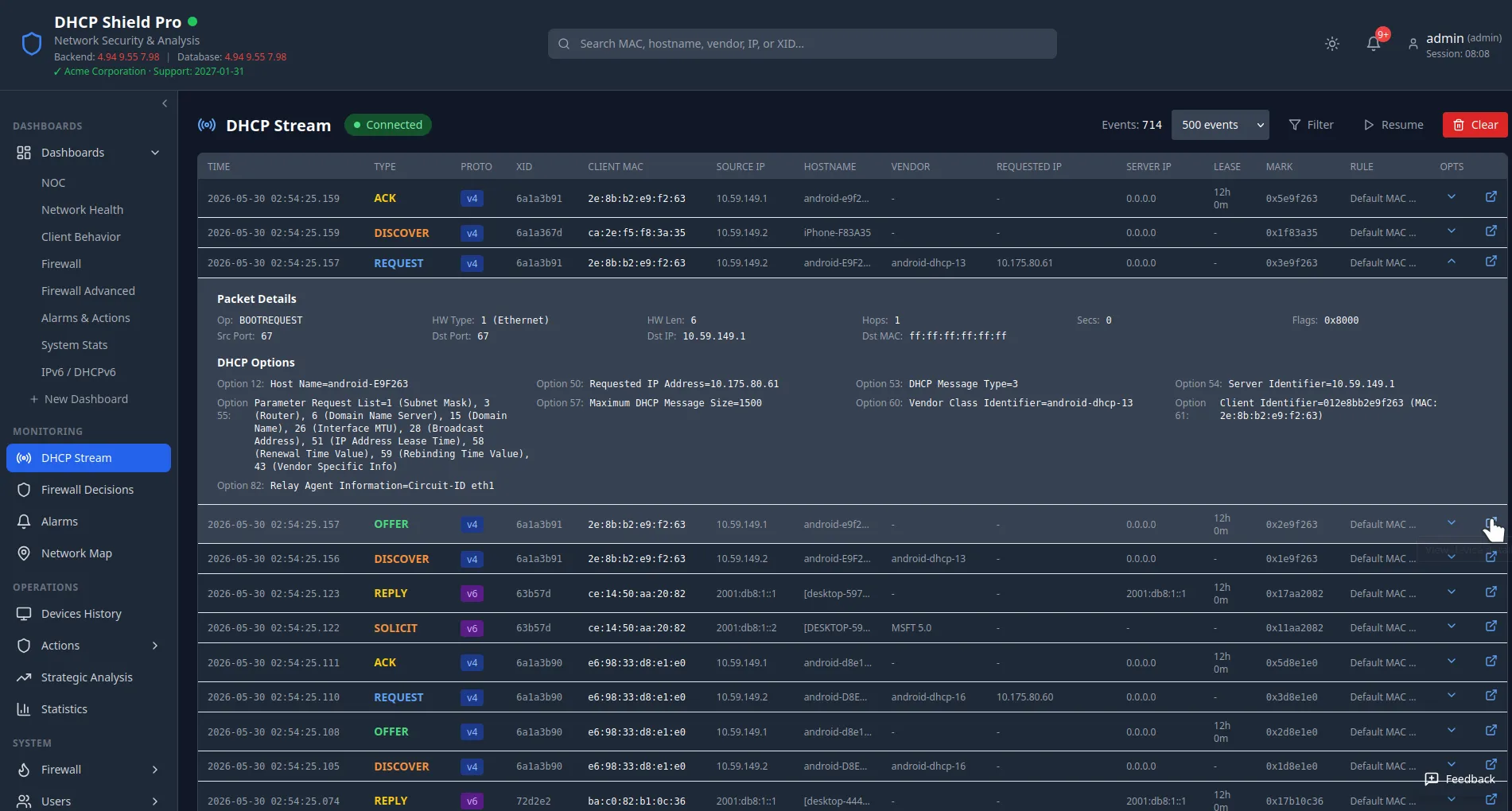
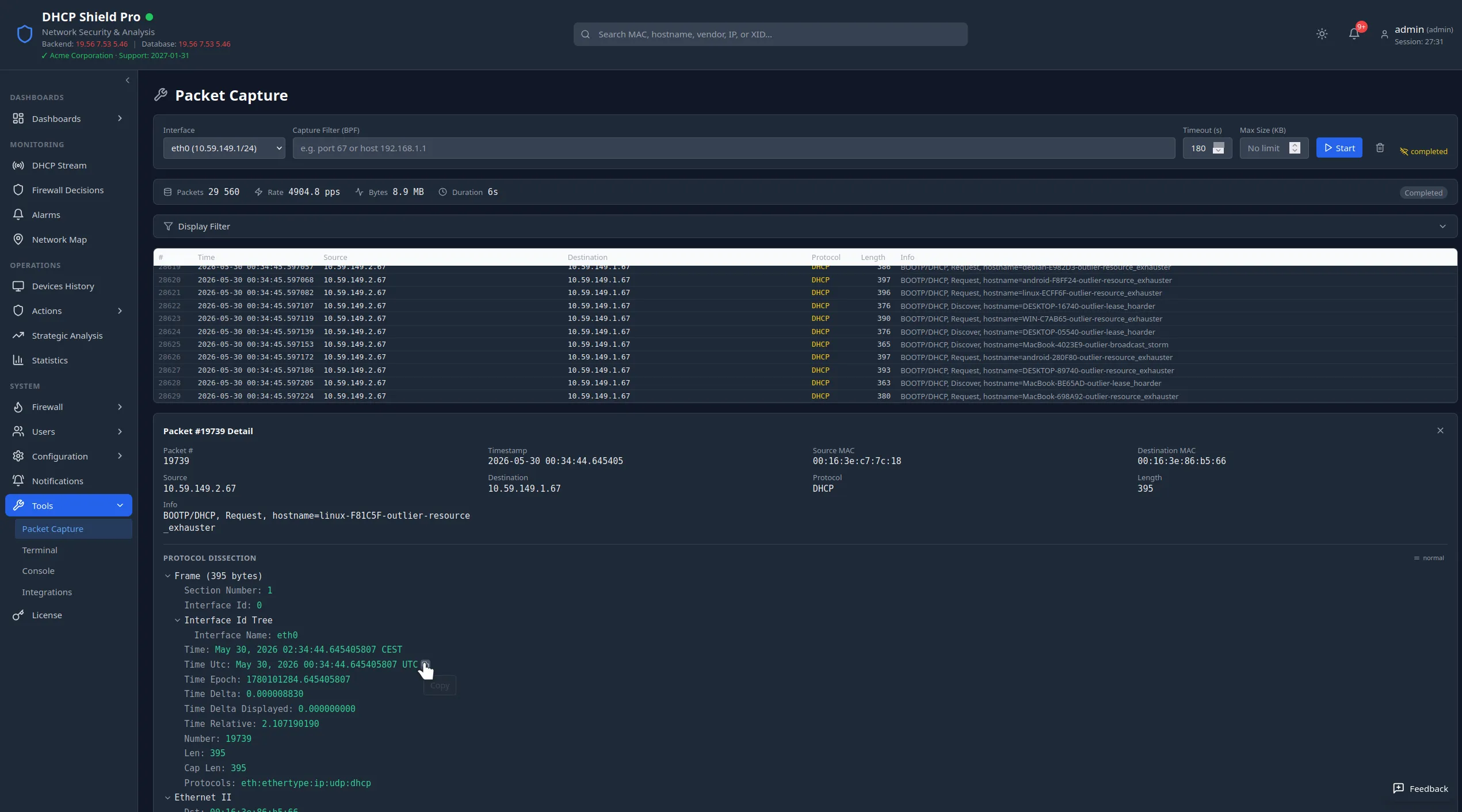
The engine decodes the full application payload of every DHCPv4 (RFC 2131) and DHCPv6 (RFC 8415) exchange — every option, every relay sub-option, and the message type of each packet. The result is a structured record of each transaction that is stored and stays searchable across your whole retention window. Every option is parsed and recorded; the operationally important fields are extracted into their own structured values:
Coverage spans sixteen RFCs in total, including the relay-agent sub-options that telco and ISP networks actually use.
Subscriber traceability
Option 82, decomposed
Relay agent information (Option 82) is parsed into its sub-options — Circuit ID, Remote ID, Subscriber ID, Link Selection — rather than treated as an opaque blob. On access networks, that is what ties a DHCP transaction back to a physical port, circuit, or subscriber.
Hostnames, vendor classes, and Option 82 sub-options are variable-length strings, handled as structured values you can search and filter on — traceability that byte-offset matching cannot give you.
Both protocols
Message-type aware, end to end
The engine is message-type aware. For DHCPv4 it distinguishes DISCOVER, OFFER, REQUEST, DECLINE, ACK, NAK, RELEASE, and INFORM. For DHCPv6 it covers SOLICIT, ADVERTISE, REQUEST, CONFIRM, RENEW, REBIND, REPLY, RELEASE, DECLINE, RECONFIGURE, INFORMATION-REQUEST, and the RELAY-FORW / RELAY-REPL relay wrappers.
For DHCPv6 it walks the relay-forward and relay-reply wrappers to reach the inner client message, and reads the client DUID together with the IA_NA, IA_TA, and IA_PD identity associations — so a client is identified and tracked even when it never appears at Layer 2. Each packet's type is carried through to enforcement, so decisions can be scoped to the exact stage of a lease exchange.
Because every packet carries a known type and direction, enforcement can be as narrow or as broad as you need. Act on a single device — block, throttle, allow, or monitor it — or set an overall ceiling on a whole message type, capping how many of those messages may pass regardless of which device sent them. And it applies in both directions: on requests coming inbound from the client pool, and on the replies heading back out toward it.
Pipeline
How it works
- 1
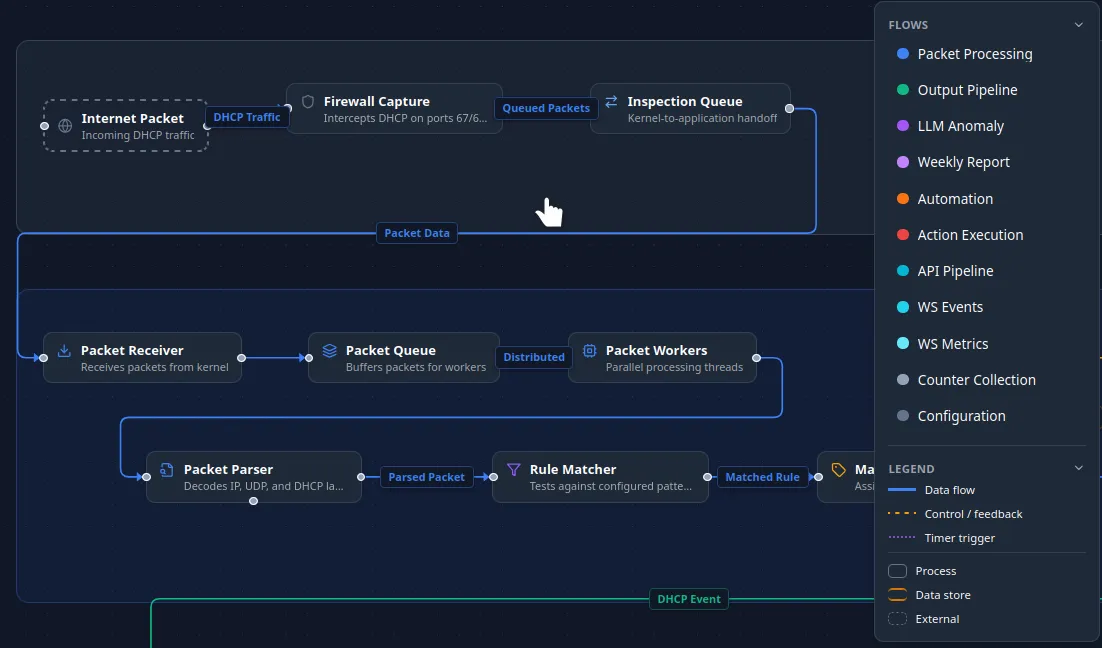
nftables matches DHCP traffic at the prerouting hook — and, for replies, at the output hook — handing each packet to the inspection engine over the kernel-to-application queue.
- 2
Parallel workers read each packet from the queue and decode the full payload — for DHCPv6, walking the relay wrappers to the inner client message.
- 3
Every option, relay sub-option, message type, and DUID is extracted into a structured transaction record.
- 4
The record is stored for search and streamed live to anyone watching the console — the same records, the moment they arrive.
- 5
The engine always returns a verdict together with the packet's classification — enforcement itself happens in the nftables rules that follow.
Keep reading